# MoneyPrinterTurbo 💸
本地自动创建短视频,只需要提供一个视频主题或关键词,就可以全自动生成视频文案、视频素材、视频字幕、视频背景音乐,最后生成一个短视频。
## 效果预览 📺
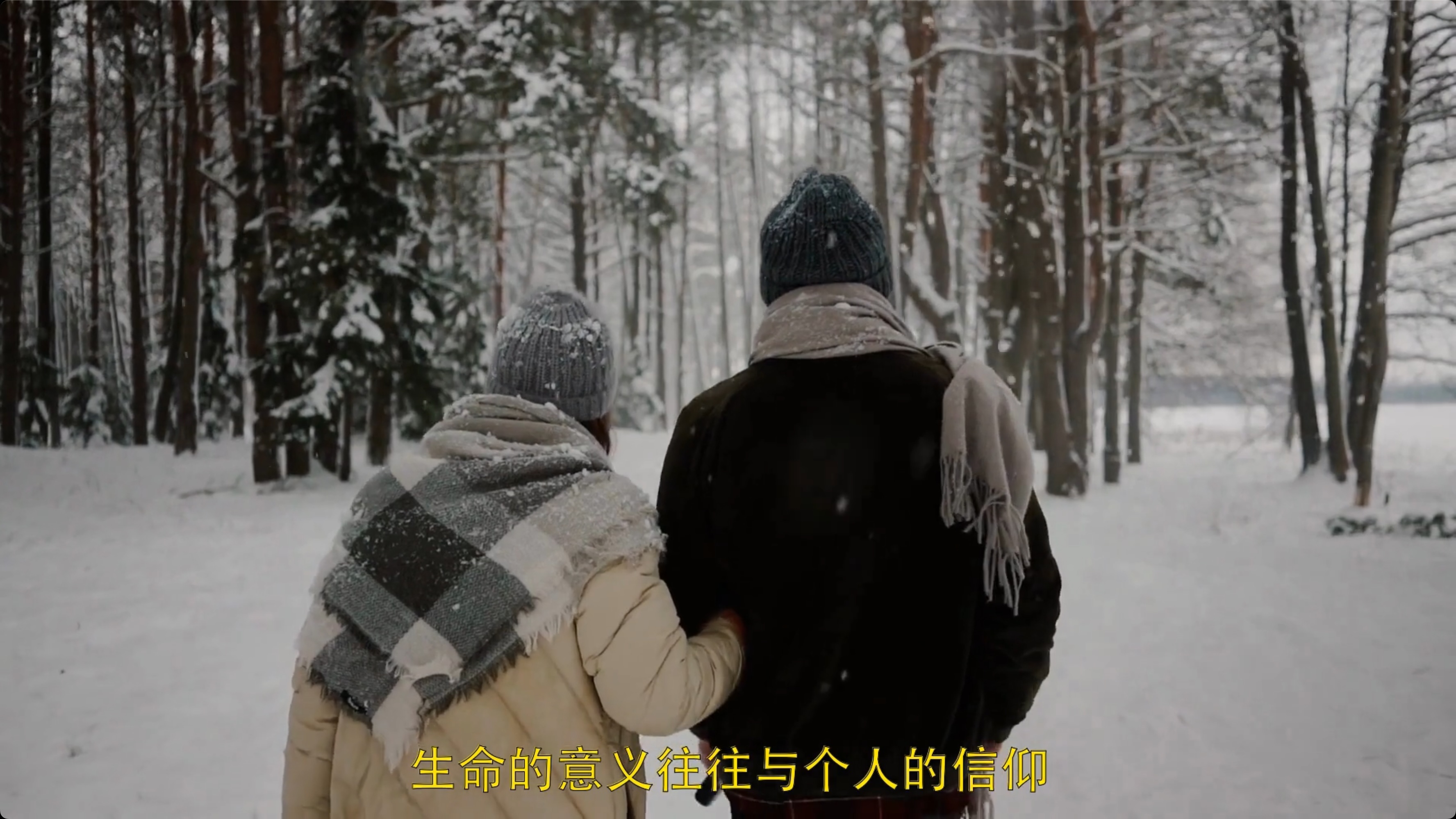
### 竖屏 9:16
#### 视频演示
[▶️ 竖屏 9:16 Demo1 ](docs/demo-portrait-1.mp4)
[▶️ 竖屏 9:16 Demo2 ](docs/demo-portrait-2.mp4)
#### 图片预览

 ### 横屏 16:9
#### 视频演示
[▶️ 横屏 16:9](docs/demo-landscape.mp4)
#### 图片预览
### 横屏 16:9
#### 视频演示
[▶️ 横屏 16:9](docs/demo-landscape.mp4)
#### 图片预览
 ## 安装 📥
建议使用 [conda](https://conda.io/projects/conda/en/latest/user-guide/install/index.html) 创建 python 虚拟环境
```shell
git clone https://github.com/harry0703/MoneyPrinterTurbo.git
cd MoneyPrinterTurbo
conda create -n MoneyPrinterTurbo python=3.10
conda activate MoneyPrinterTurbo
pip install -r requirements.txt
cp config.example.toml config.toml
```
需要先配置 `config.toml` 中的参数
## 使用 🚀
完整的使用演示视频,可以查看:https://v.douyin.com/iFhnwsKY/
请先确认你按照 `config.toml` 文件中的说明,配置好了 `openai_api_key` 和 `pexels_api_keys`。否则项目无法正常运行。
### 启动Web界面
```shell
sh webui.sh
```
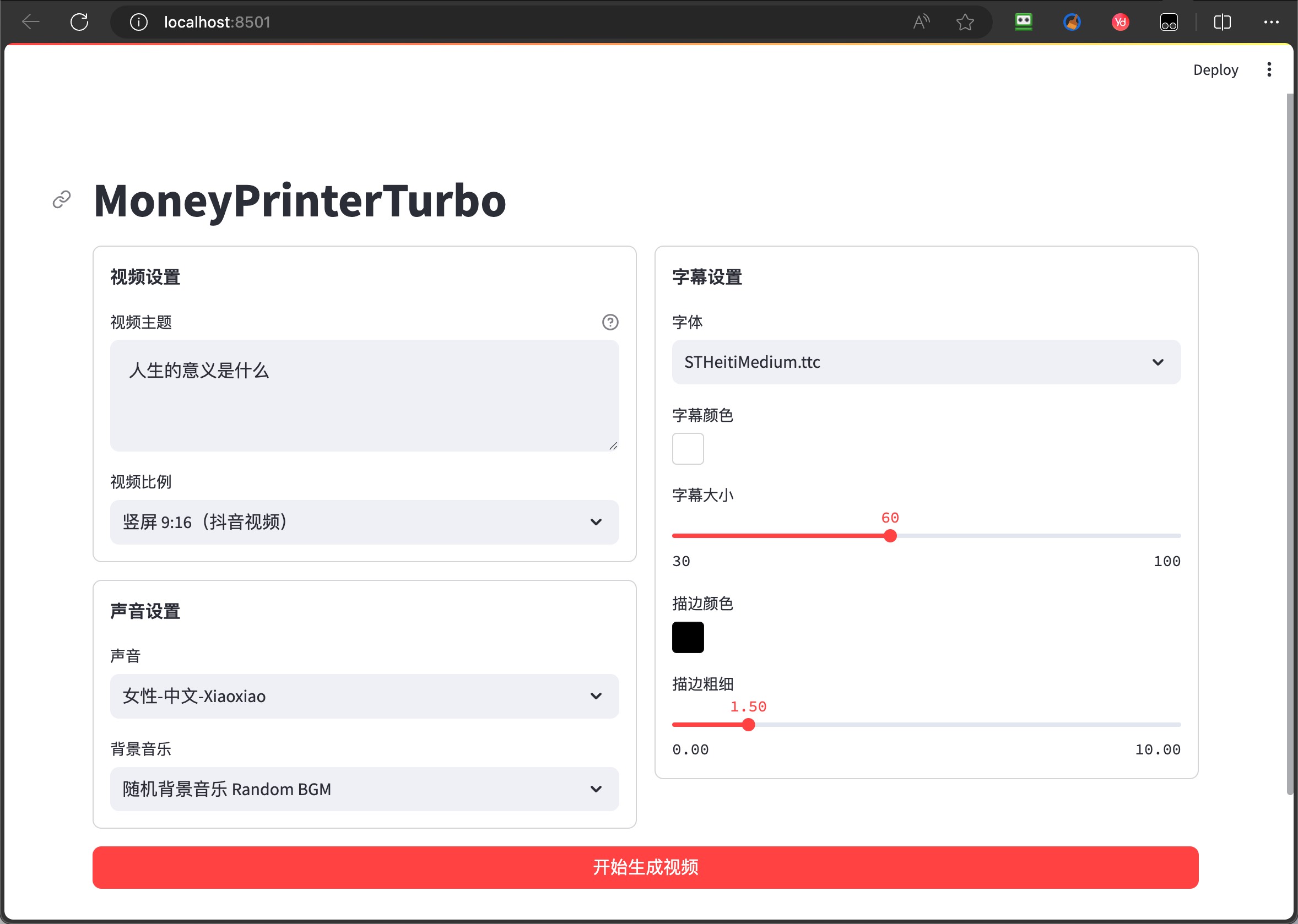
启动后,会自动打开浏览器,效果如下图:
### 启动API服务
```shell
python main.py
```
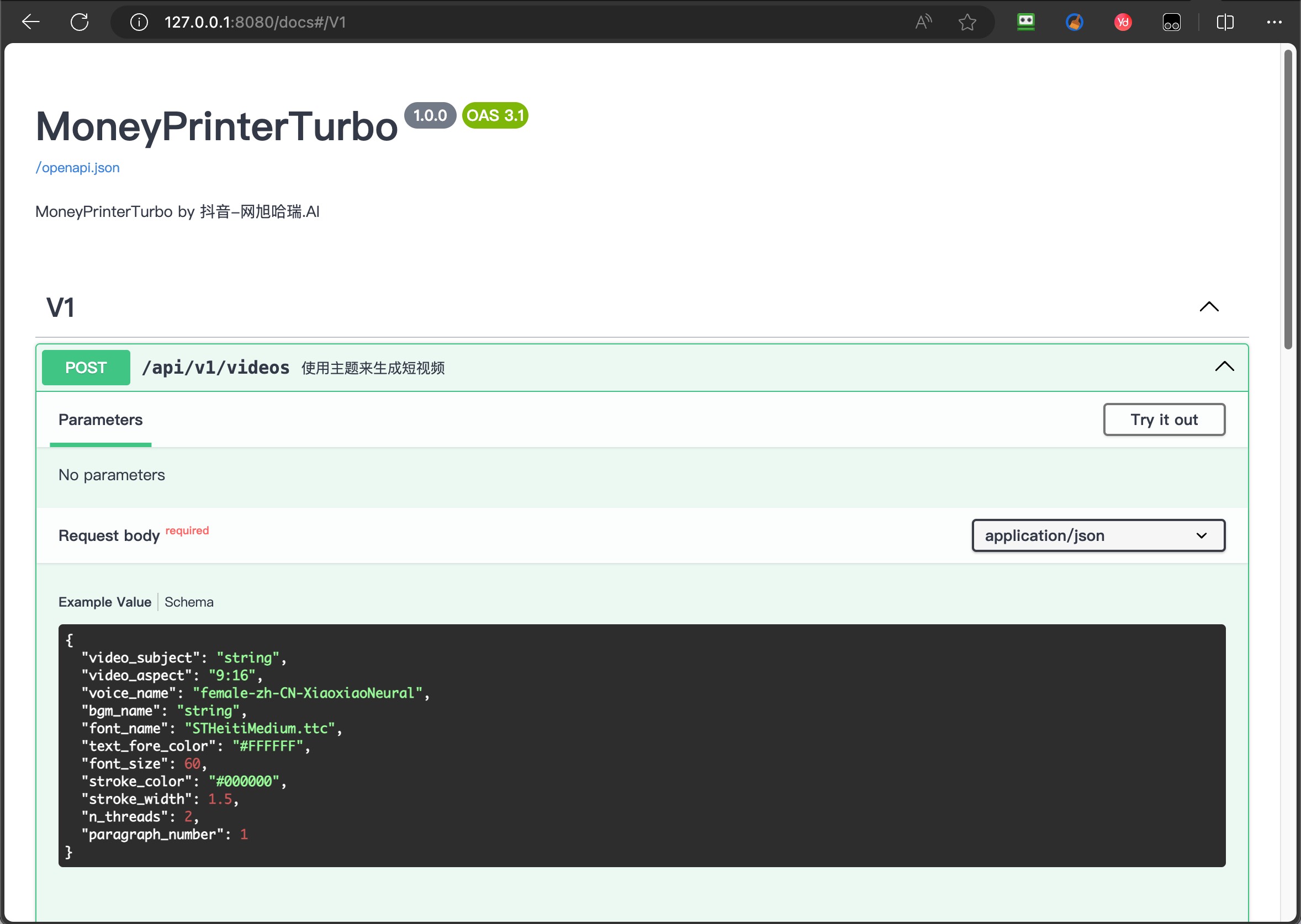
启动后,可以查看 `API文档` http://127.0.0.1:8080/docs
## 语音合成 🗣
所有支持的声音列表,可以查看:[声音列表](./docs/voice-list.txt)
## 字幕生成 📜
当前支持2种字幕生成方式:
- edge
- whisper
可以修改 `config.toml` 配置文件中的 `subtitle_provider` 进行切换,如果留空,表示不生成字幕。
## 背景音乐 🎵
用于视频的背景音乐,位于项目的 `resource/songs` 目录下。当前项目里面放了一些默认的音乐,来自于 YouTube 视频,如有侵权,请删除。
## 字幕字体 🅰
用于视频字幕的渲染,位于项目的 `resource/fonts` 目录下,你也可以放进去自己的字体。
## 反馈和建议 📢
- 可以提交 [issue](https://github.com/harry0703/MoneyPrinterTurbo/issues) 或者 [pull request](https://github.com/harry0703/MoneyPrinterTurbo/pulls)。
- 也可以关注我的抖音号:`@网旭哈瑞.AI`
- 我会在上面发布一些 **使用教程** 和 **纯技术** 分享。
- 如果有更新和优化,我也会在抖音上面 **及时通知**。
- 有问题也可以在抖音上面 **留言**,我会 **尽快回复**。
## 安装 📥
建议使用 [conda](https://conda.io/projects/conda/en/latest/user-guide/install/index.html) 创建 python 虚拟环境
```shell
git clone https://github.com/harry0703/MoneyPrinterTurbo.git
cd MoneyPrinterTurbo
conda create -n MoneyPrinterTurbo python=3.10
conda activate MoneyPrinterTurbo
pip install -r requirements.txt
cp config.example.toml config.toml
```
需要先配置 `config.toml` 中的参数
## 使用 🚀
完整的使用演示视频,可以查看:https://v.douyin.com/iFhnwsKY/
请先确认你按照 `config.toml` 文件中的说明,配置好了 `openai_api_key` 和 `pexels_api_keys`。否则项目无法正常运行。
### 启动Web界面
```shell
sh webui.sh
```
启动后,会自动打开浏览器,效果如下图:

### 启动API服务
```shell
python main.py
```
启动后,可以查看 `API文档` http://127.0.0.1:8080/docs

## 语音合成 🗣
所有支持的声音列表,可以查看:[声音列表](./docs/voice-list.txt)
## 字幕生成 📜
当前支持2种字幕生成方式:
- edge
- whisper
可以修改 `config.toml` 配置文件中的 `subtitle_provider` 进行切换,如果留空,表示不生成字幕。
## 背景音乐 🎵
用于视频的背景音乐,位于项目的 `resource/songs` 目录下。当前项目里面放了一些默认的音乐,来自于 YouTube 视频,如有侵权,请删除。
## 字幕字体 🅰
用于视频字幕的渲染,位于项目的 `resource/fonts` 目录下,你也可以放进去自己的字体。
## 反馈和建议 📢
- 可以提交 [issue](https://github.com/harry0703/MoneyPrinterTurbo/issues) 或者 [pull request](https://github.com/harry0703/MoneyPrinterTurbo/pulls)。
- 也可以关注我的抖音号:`@网旭哈瑞.AI`
- 我会在上面发布一些 **使用教程** 和 **纯技术** 分享。
- 如果有更新和优化,我也会在抖音上面 **及时通知**。
- 有问题也可以在抖音上面 **留言**,我会 **尽快回复**。
 ## 感谢 🙏
该项目基于 https://github.com/FujiwaraChoki/MoneyPrinter 重构而来,做了大量的优化,增加了更多的功能。
感谢原作者的开源精神。
## License 📝
点击查看 [`LICENSE`](LICENSE) 文件
## 感谢 🙏
该项目基于 https://github.com/FujiwaraChoki/MoneyPrinter 重构而来,做了大量的优化,增加了更多的功能。
感谢原作者的开源精神。
## License 📝
点击查看 [`LICENSE`](LICENSE) 文件